Mark it Waiting
Say who or what the task is waiting for. It moves out of the immediate work while remaining easy to find.
Waiting without forgetting
Some tasks are not yours to finish yet. Lyso keeps delegated, blocked and reply-dependent work visible, without letting it compete with what you can do now.
The real Lyso workflow
Open Waiting from the task menu or its status badge. From one focused panel you can see what you are waiting for, when the follow-up is due, whether the email was submitted and any secure conversation with the recipient.
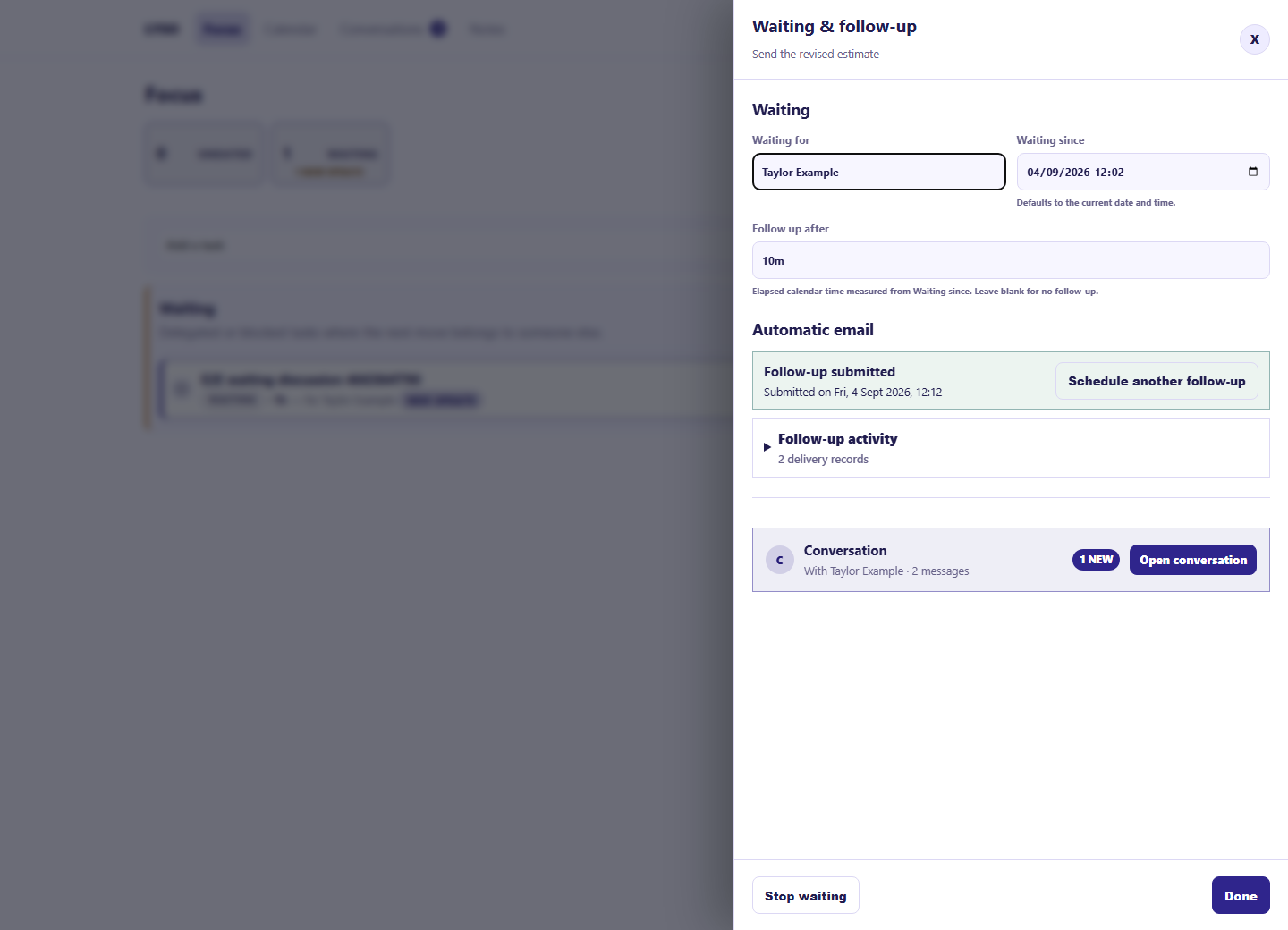
Say who or what the task is waiting for. It moves out of the immediate work while remaining easy to find.
Add a simple duration such as two days or one week. Lyso calculates the follow-up from when Waiting began.
If you choose, Lyso sends a single operational email when the task is still waiting. The recipient does not need a Lyso account.
Completing the task or stopping Waiting cancels an unsent reminder, so an obsolete follow-up is not left behind.
Waiting is managed from the task menu and its status badge, keeping ordinary task editing light.
You can allow a recipient to reply through a private, time-limited conversation without making them join your workspace.
Task details and due dates are shared only when you choose them for that conversation.
Automatic Waiting email is a one-off reminder, not a campaign. Recipients can stop further messages using the supplied private link.
A calmer next step
Lyso Free includes five automatic Waiting follow-ups each month, with no time limit or task-count limit, within the Free storage allowance.
This delete cannot be undone.